Mallard Component(MCL)
A downloadable game
Mallard — Mallard Component Language (MCL)
Mallard is a component-oriented language designed to make building web interfaces easier by organizing components, HTML, CSS, and JavaScript into a structured syntax.
Mallard uses a component-based structure with comp App(), allowing developers to organize their application code in one place while keeping HTML, CSS, and JavaScript separated into their own blocks.
Features
- Component-based structure — Organize application code using
comp App(). - HTML integration — Use HTML inside
html {}blocks. - CSS styling — Define styles inside
css {}blocks. - JavaScript integration — Add application logic inside
js {}blocks. - Readable syntax — Keep the structure of an application clear and organized.
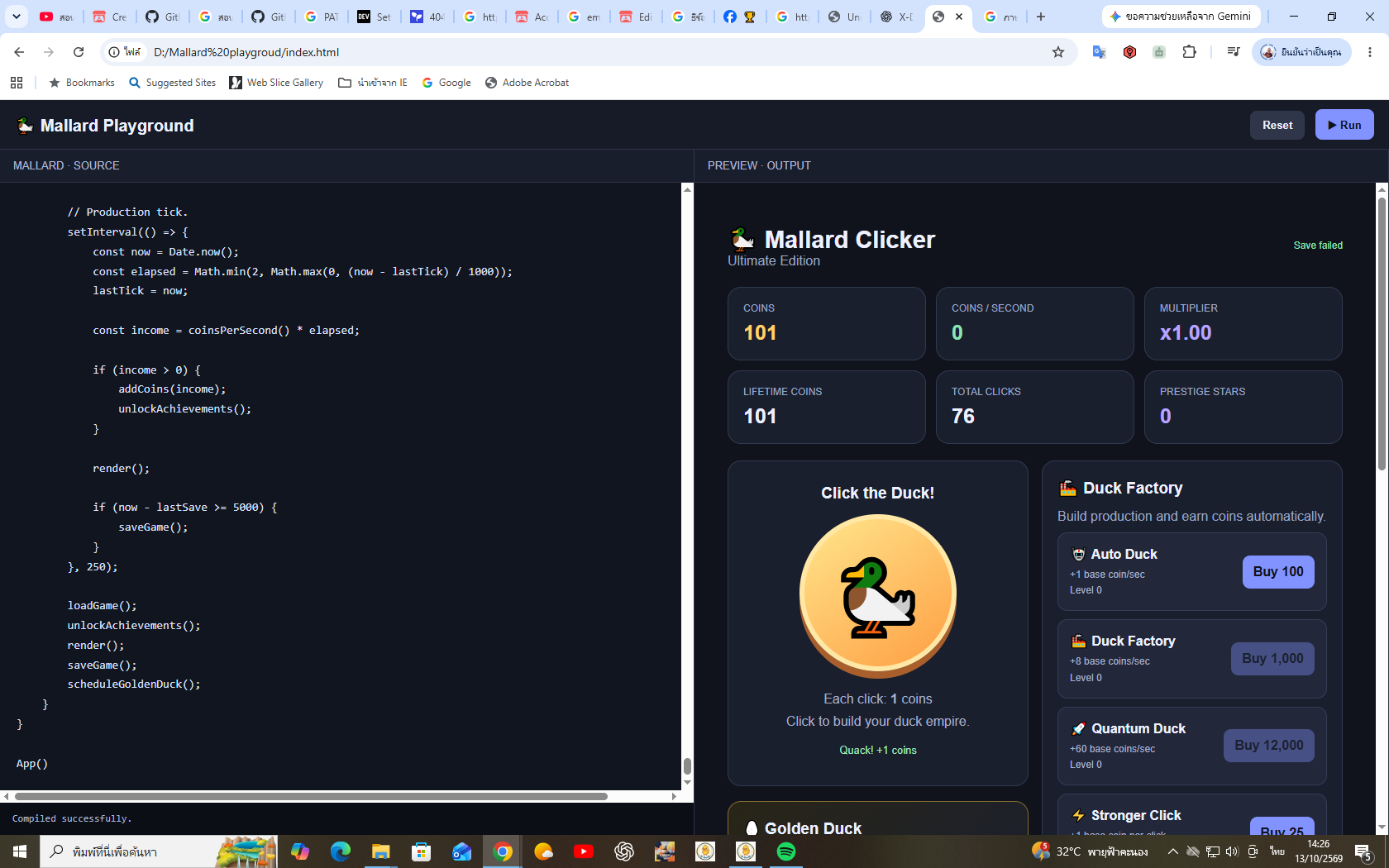
- Mallard Playground — Write Mallard code and preview your results in a supported environment.
Getting Started
A basic Mallard program looks like this:
comp App() {
    html {
        <h1>Hello, Mallard!</h1>
        <p>My first Mallard application.</p>
    }
}

App()
1. Create a component
Use comp to define a component.
comp App() {
    html {
        <h1>Hello World</h1>
    }
}

App()
comp App() defines the application component, while App() invokes it.
2. Write HTML
Use the html {} block to define the application's HTML content.
comp App() {
    html {
        <div class="card">
            <h1>Mallard</h1>
            <p>Building interfaces with MCL.</p>
        </div>
    }
}

App()
3. Add CSS
Use css {} to style your application.
comp App() {
    css {
        body {
            font-family: Arial, sans-serif;
            background: #10131c;
            color: white;
        }

        .card {
            padding: 24px;
            border-radius: 12px;
            background: #202638;
        }
    }

    html {
        <div class="card">
            <h1>Hello, Mallard!</h1>
            <p>Styled with CSS.</p>
        </div>
    }
}

App()
4. Add JavaScript
Use js {} to add interactions and application logic.
comp App() {
    html {
        <button id="hello">Click Me</button>
    }

    js {
        document.getElementById("hello").onclick = () => {
            alert("Hello from Mallard!");
        };
    }
}

App()
5. Combine everything
Mallard allows you to organize HTML, CSS, and JavaScript within a component.
comp App() {
    css {
        .counter {
            text-align: center;
            padding: 24px;
            font-family: Arial, sans-serif;
        }

        button {
            padding: 10px 18px;
            cursor: pointer;
        }
    }

    html {
        <div class="counter">
            <h1>Mallard Counter</h1>
            <p>Count: <span id="count">0</span></p>
            <button id="increment">Increment</button>
        </div>
    }

    js {
        let count = 0;

        document.getElementById("increment").onclick = () => {
            count++;
            document.getElementById("count").textContent = count;
        };
    }
}

App()
MCL UI Syntax
Mallard is also being developed around the idea of describing UI components with Mallard syntax, rather than writing every HTML element manually.
For example, a component-oriented UI syntax could look like:
comp App() {
    text title = "Duck Type"
    number wpm = 45

    html {}

    ui {
        column {
            heading(title)

            card {
                text("Speed: " + wpm + " WPM")

                button("Play") {
                    wpm = 0
                }
            }
        }
    }
}

App()
This example illustrates the intended MCL style for describing UI layouts and interactions. The ui syntax requires an Interpreter that explicitly supports these constructs.
Who Is Mallard For?
Mallard is intended for developers who want a structured way to organize web application code, experiment with component-based UI design, and explore alternative approaches to writing interfaces.
Project Status
Mallard and MCL are evolving projects. Syntax and features depend on the current Interpreter implementation.
Create. Experiment. Build with Mallard.
Download
Leave a comment
Log in with itch.io to leave a comment.